
Note:
MutatingAdmissionPolicyreached General Availability in Kubernetes 1.36
Introduction
If you have a new k8s cluster, an easy best-practice security win is to enforce restricted Pod Security Standards (PSS) by adding this namespace label:
metadata:
  labels:
    pod-security.kubernetes.io/enforce: restricted
This PSS policy enforces a baseline set of security controls on all pods in the namespace. Kubernetes defines 3 official PSS levels:
| PSS Profile | Description | Key Security Controls |
|---|---|---|
privileged |
Unrestricted access | Allows host paths, host networking, privileged containers, and root execution. |
baseline |
Minimally restrictive | Prevents known privilege escalations (no host paths/ports), but permits container defaults. |
restricted |
Most restrictive | Enforces runAsNonRoot: true, drops ALL capabilities, disables privilege escalation, and requires seccompProfile. |
However, the challenge then becomes how to make sure this label will always be applied. Historically, enforcing this required running external mutating admission webhooks (like Kyverno or Gatekeeper).
With Kubernetes 1.36, we can now enforce this natively using a MutatingAdmissionPolicy.
In this short article, we explore how to achieve this.
Automatically Tag Namespaces
Let’s start by defining a mutation policy that adds the label pod-security.kubernetes.io/enforce: restricted to any namespace created or updated.
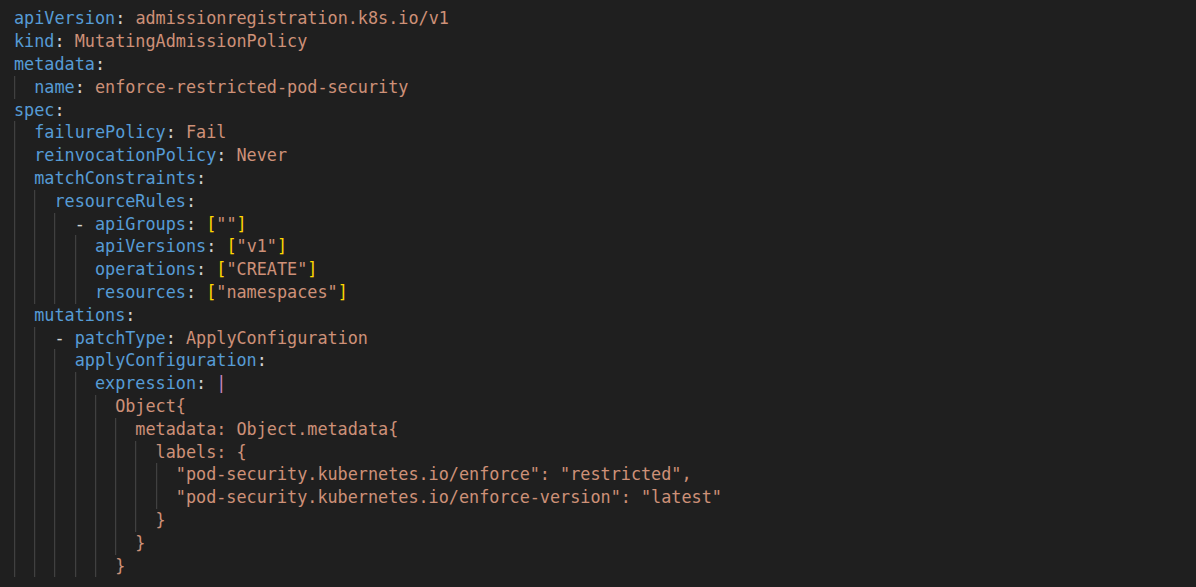
Step 1) Create MutatingAdmissionPolicy
apiVersion: admissionregistration.k8s.io/v1
kind: MutatingAdmissionPolicy
metadata:
  name: enforce-restricted-pod-security
spec:
  failurePolicy: Fail
  reinvocationPolicy: Never
  matchConstraints:
    resourceRules:
      - apiGroups: [""]
        apiVersions: ["v1"]
        operations: ["CREATE"]
        resources: ["namespaces"]
  mutations:
    - patchType: ApplyConfiguration
      applyConfiguration:
        expression: |
          Object{
            metadata: Object.metadata{
              labels: {
                "pod-security.kubernetes.io/enforce": "restricted",
                "pod-security.kubernetes.io/enforce-version": "latest"
              }
            }
          }
Step 2) Create MutatingAdmissionPolicyBinding
apiVersion: admissionregistration.k8s.io/v1
kind: MutatingAdmissionPolicyBinding
metadata:
  name: enforce-restricted-pod-security-binding
spec:
  policyName: enforce-restricted-pod-security
  matchResources:
    namespaceSelector: {} # Applies cluster-wide to all namespaces
Once applied, any kubectl create namespace dev-app or Terraform kubernetes_namespace resource will automatically be injected with pod-security.kubernetes.io/enforce: restricted.
Hardening RBAC against Overrides
A common security anti-pattern occurs when your IaC tooling (such as Terraform Cloud) can remove these newly created mutation policies.
If TFC operates as cluster-admin, a developer or a compromised TFC workspace could destroy the MutatingAdmissionPolicy to bypass security controls.
To prevent this, we must enforce the strict principle of least privilege using Kubernetes RBAC.
Create a Restricted IaC ClusterRole
Instead of assigning cluster-admin (* on *), let’s create a dedicated ClusterRole for the TFC ServiceAccount that grants workload management rights while explicitly withholding mutation/deletion access to admissionregistration.k8s.io policies.
For example:
apiVersion: rbac.authorization.k8s.io/v1
kind: ClusterRole
metadata:
  name: tfc-workspace-executor
rules:
  # Allow managing standard workloads and resources as required
  - apiGroups: ["", "apps", "networking.k8s.io", "batch"]
    resources: ["namespaces", "deployments", "statefulsets", "services", "ingresses", "configmaps", "secrets", "jobs"]
    verbs: ["get", "list", "watch", "create", "update", "patch", "delete"]

  # Read-only access to admission policies (TFC can inspect but NOT modify)
  - apiGroups: ["admissionregistration.k8s.io"]
    resources: ["mutatingadmissionpolicies", "mutatingadmissionpolicybindings", "validatingadmissionpolicies", "validatingadmissionpolicybindings"]
    verbs: ["get", "list", "watch"]
Note: Only security platform administration pipelines (or dedicated break-glass accounts) should hold write access to admission policies.
Prevent Label Stripping
What if an existing namespace is modified by an authorised service account, or someone attempts to explicitly patch the label away (pod-security.kubernetes.io/enforce: privileged)?
To close this loop, we need to create a ValidatingAdmissionPolicy that rejects any update attempting to remove or alter the restricted label:
Create ValidatingAdmissionPolicy
apiVersion: admissionregistration.k8s.io/v1
kind: ValidatingAdmissionPolicy
metadata:
  name: prevent-restricted-label-removal
spec:
  failurePolicy: Fail
  matchConstraints:
    resourceRules:
      - apiGroups: [""]
        apiVersions: ["v1"]
        operations: ["UPDATE"]
        resources: ["namespaces"]
  validations:
    - expression: |
        has(object.metadata.labels) &&
        'pod-security.kubernetes.io/enforce' in object.metadata.labels &&
        object.metadata.labels['pod-security.kubernetes.io/enforce'] == 'restricted'
      message: "Security Policy Violation: The 'pod-security.kubernetes.io/enforce: restricted' label cannot be removed or downgraded."
---
apiVersion: admissionregistration.k8s.io/v1
kind: ValidatingAdmissionPolicyBinding
metadata:
  name: prevent-restricted-label-removal-binding
spec:
  policyName: prevent-restricted-label-removal
  validationActions: [Deny]
  matchResources:
    namespaceSelector: {}
Conclusion
With Kubernetes 1.36, admission control has matured into an important part of cluster security:
MutatingAdmissionPolicyremoves the operational overhead of external webhooks, allowing zero-trust defaults (likerestrictedPod Security Standards) to be applied natively.- RBAC Isolation ensures CI/CD tools like Terraform Cloud (TFC) have full freedom to manage application infrastructure without the ability to strip or delete critical security policies.
ValidatingAdmissionPolicyacts as a final safeguard to guarantee compliance remains immutable.
By combining these resources, platform teams can give developers fast, self-service namespace provisioning without sacrificing cluster security baselines.
As always, treat this blog post as an introduction to the topic rather than a final solution. It’s important that you review, test, and understand security policies running on your infrastructure.